


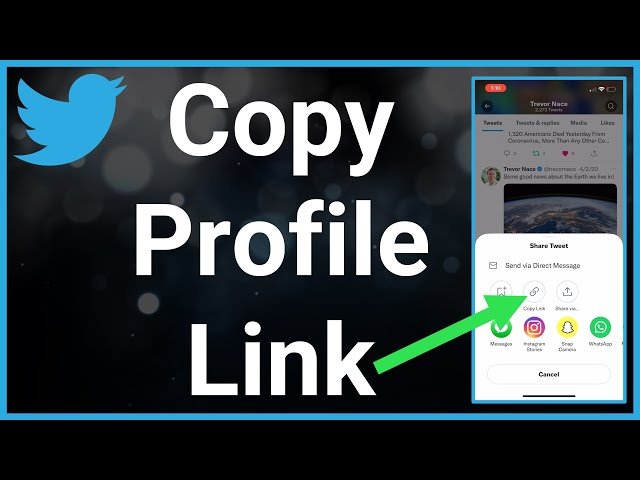
A Share on Twitter link is one of the simplest and most powerful tools for increasing content visibility across social media. Whether you run a blog, website, eCommerce store, or online business, adding a Twitter share link allows visitors to instantly post your content to their followers with just one click.
Thank you for reading this post, don't forget to subscribe!Twitter (now called X) remains a major platform for news, marketing, and real-time discussions. A properly formatted share link can significantly boost traffic, engagement, and brand awareness when used strategically.
In this guide, you’ll learn what a share on Twitter link is, how it works, how to create one, and how to optimize it for better performance and SEO-friendly usage.
What Is a Share on Twitter Link?
A share on Twitter link is a special URL that opens Twitter’s post composer with pre-filled content such as:
-
A message or headline
-
A webpage URL
-
Hashtags
-
A username mention
When users click the link, Twitter opens with the content ready to be posted. This removes friction and encourages more people to share your content.
These links are often used on:
-
Blog posts
-
Landing pages
-
Product pages
-
Email newsletters
-
Social media buttons
Why Share on Twitter Links Matter
Adding a Twitter share link provides several important benefits:
1. Increased Content Distribution
When users share your page, your content reaches their followers organically, expanding your audience without paid advertising.
2. Higher Engagement Rates
One-click sharing removes barriers and increases the likelihood that visitors will interact with your content.
3. Brand Visibility
Each share includes your page link, exposing your brand name and website to new users.
4. Social Proof
When people see content being shared, it builds trust and credibility.
How a Share on Twitter Link Works
A share on Twitter link uses Twitter’s official web intent format. It passes information into Twitter’s posting interface using URL parameters such as:
-
Text
-
URL
-
Hashtags
-
Via (username)
When clicked, Twitter automatically prepares a post for the user.
Example concept (not code-heavy explanation):
-
The link opens Twitter
-
The tweet box is filled
-
The user clicks “Post”
This makes sharing instant and user-friendly.
How to Create a Share on Twitter Link
Creating a share on Twitter link is simple and can be done manually or with online tools.
Step 1: Choose Your Message
Decide what you want users to say when sharing your content. This could be:
-
A blog title
-
A short description
-
A call to action
Example ideas:
-
“Check out this guide on digital marketing”
-
“New article on productivity tools”
Step 2: Add Your Page URL
Your link should point back to your content so traffic returns to your website.
Step 3: Include Hashtags (Optional)
Hashtags help your content appear in topic searches. Use:
-
1 to 3 relevant hashtags
-
Avoid cluttering the tweet
Example topics:
-
#Marketing
-
#SEO
-
#Tech
-
#Business
Step 4: Add Your Username (Optional)
You can include your Twitter handle so users credit your account automatically.
Where to Use Share on Twitter Links
Share on Twitter links can be placed in many strategic locations:
1. Blog Posts
Add Twitter share buttons at:
-
Top of the article
-
Bottom of the article
-
Beside headlines
-
Next to quotes
This encourages readers to share while content is fresh in their mind.
2. Email Newsletters
Including a share link in emails lets subscribers easily post your content to their Twitter feed.
3. Landing Pages
On sales or opt-in pages, social sharing can help spread your offer organically.
4. Quotes and Highlights
Many websites use “Click to Tweet” links that allow users to share a specific quote from the article.
SEO Benefits of Share on Twitter Links
While social shares are not direct ranking factors, they provide indirect SEO benefits:
-
Increased website traffic
-
Faster content discovery
-
More backlinks from other websites
-
Higher brand awareness
-
Improved engagement signals
A strong social sharing strategy supports overall content visibility and long-term search performance.
Best Practices for Optimizing Share on Twitter Links
To get the most value from your share links, follow these optimization tips:
1. Keep the Message Short and Clear
Tweets have character limits. Your message should:
-
Be concise
-
Clearly describe the content
-
Encourage curiosity
2. Use Action-Oriented Language
Phrases like:
-
“Read this guide”
-
“Learn how to…”
-
“Discover tips for…”
increase click-through rates.
3. Add Relevant Hashtags
Hashtags help reach a wider audience but should remain focused on your topic.
4. Make Buttons Visible
Design matters. Share buttons should be:
-
Easy to find
-
Mobile-friendly
-
Clearly labeled
5. Test Different Messages
You can create multiple share on Twitter links for the same page with different wording to see which performs best.
Common Mistakes to Avoid
When using share on Twitter links, avoid these mistakes:
Overloading Hashtags
Too many hashtags make posts look spammy and reduce readability.
Using Generic Text
“Check this out” is less effective than specific descriptions.
Forgetting Mobile Users
Ensure share links work smoothly on smartphones and tablets.
Not Tracking Performance
Use analytics tools to see how much traffic comes from Twitter shares.
Share on Twitter Links for Marketing and Business
Businesses use Twitter share links to:
-
Promote blog content
-
Launch products
-
Share announcements
-
Drive webinar signups
-
Increase brand engagement
When combined with good content, these links become powerful marketing tools.
Share on Twitter Link vs Other Social Share Links
Twitter share links differ from other platforms:
-
Twitter focuses on short text-based posts
-
Facebook emphasizes images and previews
-
LinkedIn targets professional audiences
-
Pinterest focuses on visuals
Twitter is especially useful for:
-
News
-
Blogs
-
Tech content
-
Finance
-
Marketing
-
Education
Accessibility and User Experience
A well-designed share on Twitter link should:
-
Be keyboard accessible
-
Have clear labels
-
Work across browsers
-
Load quickly
Good user experience increases interaction and trust.
The Future of Social Sharing Links
Social sharing remains a core part of digital communication. As platforms evolve, share links will continue to play a role in:
-
Content distribution
-
Community engagement
-
Brand visibility
-
Audience growth
Twitter’s real-time nature ensures that share links remain valuable for trending topics and conversations.
Final Thoughts
A share on Twitter link is a simple but powerful way to encourage readers to promote your content with a single click. When used strategically, it can increase website traffic, improve content reach, and strengthen your online presence.
By creating optimized share links, placing them in visible locations, and crafting compelling messages, you make it easy for users to become advocates for your content.
Whether you are running a blog, business website, or educational platform, integrating Twitter sharing links is a smart and effective step toward better engagement and long-term growth.
Used correctly, share on Twitter links turn passive readers into active promoters—helping your content travel further across the web.

